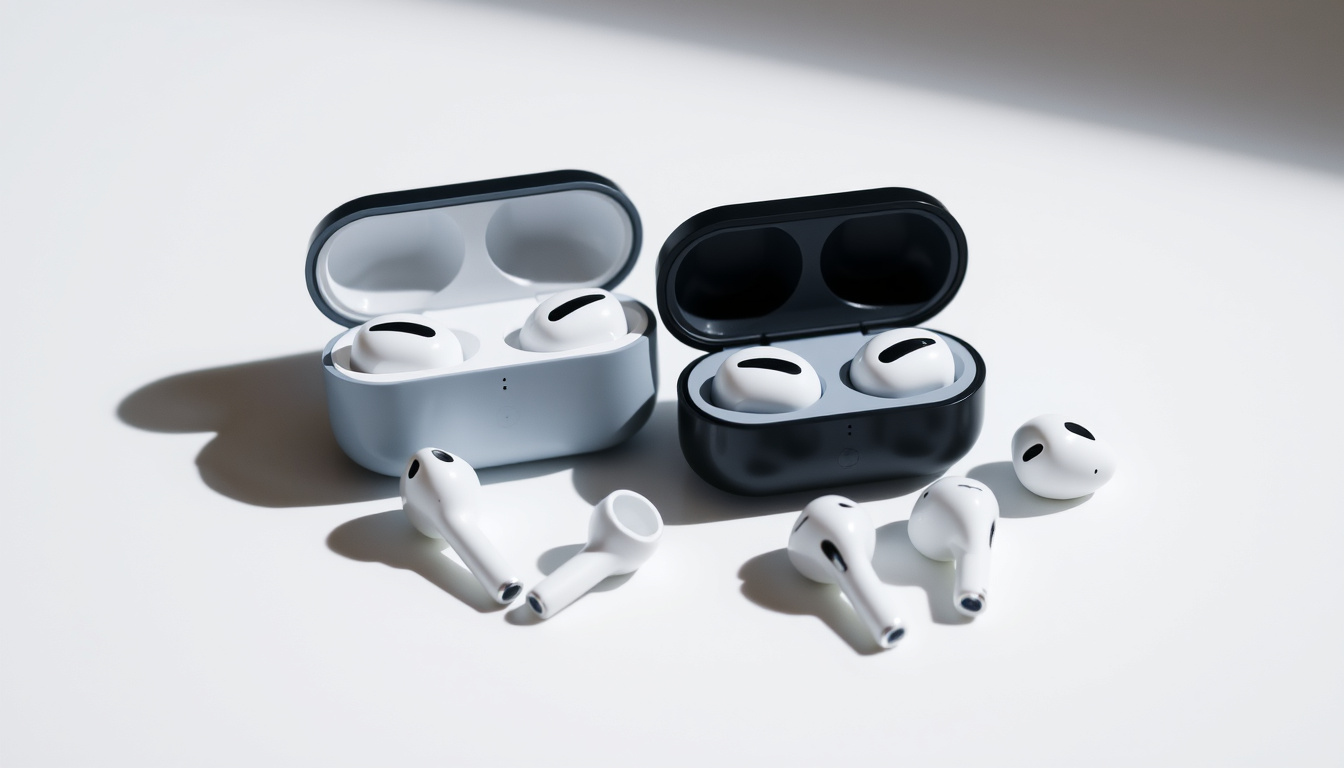
Your AirPods suddenly refuse to connect, or you are handing them off to someone new. Either way, the fix takes under a minute if you know the exact button sequence.
Reset time for most models: 15 seconds · Pre-reset wait: 30 seconds lid closed · Status light flash: amber then white · Models covered: AirPods 1–4, Pro, Max
Quick snapshot
- Put AirPods in case, close lid, wait 30 seconds (Apple Support)
- Open lid and hold setup button for 15 seconds until amber then white flash (Apple Support)
- Amber means pairing data clearing; white means ready for new device (Apple Support)
- Keep lid open, hold back button on case for 15 seconds (Apple Support)
- Status light flashes amber first, then white when reset completes (Apple Support)
- Pro 3 users can triple-tap front of case as alternative gesture (Apple Support)
- Hold Digital Crown and noise control button on right earcup simultaneously (Apple Support)
- LED at bottom of right earcup flashes amber, then white after ~15 seconds (Apple Support)
- Soft restart: release after amber flash (~10 seconds); factory reset: hold full 15 seconds (Apple Support)
- If reset fails, unpair via Bluetooth settings “Forget This Device” first (Apple Support)
- Clean charging contacts and ensure case has charge before retrying (Apple Support)
- Update firmware via Settings > General > About after re-pairing (Apple Support)
The table below summarizes the key timing and indicator details across all AirPods models.
| Step | Detail | Time |
|---|---|---|
| Standard reset hold time | Press and hold setup/Crown+button | 15 seconds |
| Pre-reset wait | AirPods inside case, lid closed | 30 seconds |
| Success indicator | Amber flash, then white flash | Flashing sequence |
| Previous owner removal | Full factory reset required | Single 15-second hold |
How do I reset my AirPods?
A full reset clears pairing records from your device and wipes stored settings so the AirPods act like brand-new hardware. Apple recommends the same 15-second hold sequence across generations, though the button location changes depending on your model (Apple Support).
Steps for AirPods 1, 2, 3, and 4
Place your AirPods inside the charging case and close the lid. Wait about 30 seconds before proceeding. Open the lid, then press and hold the small round setup button on the back of the case for exactly 15 seconds. The status light will flash amber first (indicating that pairing data is being erased) and then flash white, signaling the reset is complete (Apple Support).
If you are setting up with an iPhone, bring the open case close to your device and follow the on-screen prompts. The AirPods will pair automatically once the white flashing light appears.
What the status light indicates
The status light on the front of the charging case tells you exactly where you are in the process. Amber (orange) means the AirPods are connected to a device and are in the process of unpairing. White means the AirPods are ready to pair with a new device. No light at all typically means the case needs charging (MacRumors).
The pattern holds for the standard models: amber first, then white. If you see only amber and no transition to white after 20 seconds, the battery may be depleted. Plug the case in and try again after a few minutes of charging.
How do I reset AirPods Pro?
AirPods Pro share the same 15-second reset window as standard models, but the button location shifted when Apple redesigned the case for Pro noise-cancellation features. The process is identical whether you own the original Pro, Pro 2, or Pro 3 generation (Apple Support).
Reset AirPods Pro 1 and 2
Keep the lid of the charging case open. Locate the small setup button on the back of the case. Press and hold it for 15 seconds until the status light flashes amber and then white. This clears all device associations and restores the AirPods Pro to factory settings.
The Pro 2 case also has a built-in speaker that plays a chime once the reset confirms successfully, which the standard case lacks. Listen for that confirmation tone as a secondary signal alongside the white light.
Reset AirPods Pro 3
Apple introduced an alternative gesture for Pro 3 users: triple-tap the front of the case rapidly. This gesture triggers the same factory reset as holding the back button for 15 seconds (YouTube). Either method works, so choose whichever feels more natural in your hand.
After resetting, Pro 3 models will automatically begin firmware updates during the first re-pairing, which can take a couple of minutes. This is normal and improves active noise cancellation performance.
How to reset your AirPods Max?
AirPods Max use a two-button combination on the right earphone instead of a case button, which catches many first-time users off guard. Apple designed this intentionally since the over-ear headphones lack a charging case with an accessible button strip. The reset process actually involves two distinct outcomes: a soft restart (which fixes minor glitches) and a full factory reset (which prepares the headphones for a new owner) (Krisp.ai).
Soft restart vs. factory reset
Holding the Digital Crown and noise control button together until the LED flashes amber (roughly 10 seconds) performs a soft restart. This clears temporary connectivity glitches and sound-processing errors without erasing your custom settings like noise cancellation levels and spatial audio preferences (Apple Support).
A full factory reset requires holding those same two buttons for the full 15 seconds until the light transitions from amber to white. This erases all saved settings and removes all paired devices from the AirPods Max memory. This is the version you need before selling or gifting the headphones.
The LED status light sits at the bottom of the right earcup next to the USB-C charging port, so you will need to turn the headphones slightly to see it clearly during the reset sequence (MacRumors).
Users who just need to troubleshoot audio crackle or connectivity drops benefit from the shorter 10-second amber-only release, while anyone preparing the AirPods Max for a new owner must commit to the full 15-second factory wipe.
AirPods Pro and standard AirPods have a single reset path, but AirPods Max owners have a choice. Holding buttons longer than ~10 seconds crosses from troubleshooting into full data erasure. If your goal is simply fixing audio crackle, the 10-second amber-only release preserves your custom settings and saves time.
How do I reset my AirPods to a new owner?
When you hand over AirPods to someone else, a full factory reset is mandatory — not optional. Without it, the new owner will see a persistent “Location Detected” alert because the AirPods remain linked to your Apple ID. Apple designed this as an anti-theft measure, but it can frustrate legitimate private sales.
Remove from previous iCloud account
Before physically resetting the AirPods, unpair them from your iPhone or iPad by going to Settings > Bluetooth, tapping the “i” icon next to your AirPods, and selecting “Forget This Device.” This breaks the iCloud link and stops live location tracking from your Find My network (Apple Support).
For AirPods Max, open the Settings app on a paired device, tap your AirPods Max entry, and choose the same “Forget This Device” option. The headphones will no longer appear in your Find My list, which is the first step toward a clean transfer.
Factory reset process
After unpairing, perform the standard 15-second reset for your model. For AirPods 1 through Pro, hold the setup button on the case. For AirPods Max, hold Digital Crown and noise control together. The white flashing light confirms the factory reset completed successfully.
A factory reset removes all paired device memory, custom EQ settings, noise cancellation preferences, and any firmware locks. The new owner can then open the AirPods near their own iPhone and follow the pairing prompts as if the product were new from retail packaging (Krisp.ai). If your AirPods are refusing to connect, you can perform a factory reset, and here’s how: srovnání bezdrátových sluchátek JBL a Sony
Sellers who skip the unpairing step leave buyers with a device that still pings the original owner’s Find My network, making resale without cooperation from the previous owner practically impossible.
If you bought second-hand AirPods and the previous owner never unlinked their Apple ID, you will receive persistent ” Separation Alert” notifications. Apple Support cannot bypass this remotely for privacy reasons — only the original owner can remove the AirPods from their iCloud account.
How do you fix AirPods that will not connect or reset?
Even when you follow the reset steps exactly, certain conditions can prevent the process from completing. Charging case battery level, debris blocking the charging contacts, and outdated firmware account for the majority of reset failures reported across Apple community forums (YouTube).
Common issues and solutions
If the status light never transitions from amber to white, the most common culprit is a depleted charging case. Plug the case into a power source using an Apple-certified cable and wait at least 5 minutes before attempting the reset again. A dead case can still perform the mechanical reset (button holds work on residual charge) but cannot power the LED through the full sequence.
Debris accumulation around the setup button or charging contacts can also prevent proper contact. Clean around the button with a dry, lint-free cloth. For the charging contacts (the metal prongs inside the case), a dry cotton swab works, but avoid liquids that could cause corrosion.
Bluetooth interference from crowded environments sometimes causes the reset to appear successful (white light) but pairing fails immediately after. Move to a quieter location with fewer active wireless devices and retry the pairing process.
When to contact Apple
If the reset completes (white light confirmed), pairing still fails after three attempts, and you have verified the charging case is not dead, the hardware itself may have a fault. Visit an Apple Store or an Apple Authorized Service Provider for in-person diagnostics. Apple Support’s official troubleshooting page recommends this step when unpairing and resetting repeatedly do not resolve connection stability issues (Apple Support).
Warranty coverage applies to hardware defects, but reset failures caused by software bugs may qualify for free firmware reloading at Genius Bar appointments. Bring proof of purchase and the original AirPods packaging if available.
Owners who exhaust all troubleshooting steps without success should document the error sequence (amber-only flash, no response to button press) before contacting Apple, as this information helps technicians pinpoint whether the issue is battery-related or firmware-based.
youtube.com, macreview.com, youtube.com, youtube.com, youtube.com, support.apple.com, support.apple.com
The 15-second hold method works across Pro, Max, and other models, much like the step-by-step AirPods reset guide recommends for stubborn glitches.
Frequently asked questions
Can your AirPods be reset?
Yes. Every AirPods model supports a factory reset. The process varies slightly by model — standard AirPods use the case button, AirPods Max use a two-button combination on the right earphone — but all models restore to factory state and will pair as new devices afterward.
How do I factory reset my AirPods?
For standard AirPods and AirPods Pro, place the AirPods in the charging case, close the lid for 30 seconds, open it, then hold the setup button on the back for 15 seconds until the light flashes amber then white. For AirPods Max, hold Digital Crown and noise control button for 15 seconds until the LED flashes white.
Can I factory reset AirPods I found?
Physically, yes — the reset process works regardless of who initiates it. However, if the original owner still has Find My enabled on their Apple ID, you will receive persistent separation alerts and the AirPods will remain visible in their Find My network. Only the original owner can fully disassociate the AirPods from their iCloud account.
How to reset AirPods without a button?
All AirPods models require a button press for factory reset — there is no software-only method through the iPhone Settings app. The closest alternative is unpairing via Bluetooth (Settings > Bluetooth > Forget This Device), but this does not clear firmware-level pairing records the way a physical reset does.
What if my AirPods will not reset?
If the reset stalls on amber and never reaches white, try these steps in order: (1) charge the case for 5 minutes, (2) clean the setup button and charging contacts, (3) unpair via Bluetooth first, then retry the reset. If problems persist after these steps, contact Apple Support or visit an Apple Store for hardware diagnostics.
Press and hold the Digital Crown and the noise control button at the same time, until the status light next to the charging port changes from flashing amber to flashing white (around 15 seconds).
— Apple Support official documentation (Apple Support)
Hold the buttons for approximately 15 seconds for a factory reset. The LED will flash white when the AirPods Max are ready to set up with a device.
— MacRumors tech publication (MacRumors)
Confirmed facts
- 15-second hold clears pairing for all AirPods generations per Apple Support
- Amber-then-white LED sequence signals successful reset per Krisp.ai
- Factory reset removes all paired devices and custom settings per Apple Support
- AirPods Max LED is on bottom of right earcup next to charging port per MacRumors
What’s unclear
- AirPods 4 reset steps lack independent third-party verification (Apple documentation references older models)
- Pro 3 triple-tap gesture confirmed on video but not yet in official Apple text documentation
For anyone preparing AirPods for resale, the 15-second factory reset combined with prior unpairing from the original owner’s iCloud account is the only path to a clean handover. Buyers should open the AirPods near their own iPhone immediately after receiving them and confirm the white light appears before trusting the reset completed.

Oliver William Davies Thompson is a staff writer for MetroReport.uk, covering city news, transport, housing and urban policy. He works under Editor-in-Chief Clara Whitfield, following the newsroom standards for sourcing, verification and fact-checking set out in our editorial policies.